Extensions

#Credentials

You have the ability to make authenticated calls via Extensions using credentials. These credentials will be used as headers in the requests generated when calling the specified URL.

#Available Credential Methods

Method Header
Basic Authentication Authorization : base64_encode(username:password)
Bearer Token Authorization : Bearer token_value
Custom Credentials custom_header_key : custom_header_value
OAuth2 Authorization : Bearer fetched_access_token

To add credentials, simply select your preferred authentication method and enter the required information. basic-auth-credential.png
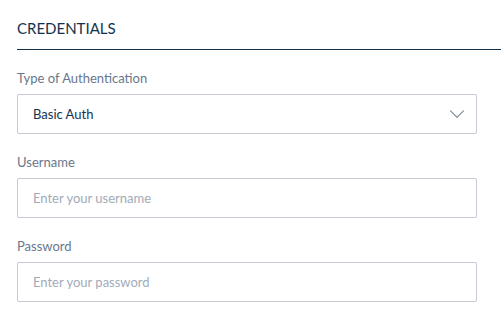
Credentials are encrypted before being stored, ensuring the security of your sensitive data. Additionally, the API calls are made server-side, meaning that the credentials are not accessible from the front end of the application.

#About OAuth2

With the first three methods, you provide the value that is sent in the header. With OAuth2, you provide the details of a token endpoint instead: the PIM requests an access token from that endpoint server-side, then sends it in the request. Your extension never handles the token itself.

OAuth2 credentials are only used by the PIM.api.external.call() method of a Custom Component extension. An OAuth2 credential configured on an Action or a Data Component extension is ignored, and the request is sent without any authentication header. For those extension types, use Basic Authentication, Bearer Token or Custom Credentials.

For the available grant types, the required fields and the complete configuration reference, see the Credentials guide for Custom Components.