Concepts & resources
#Target market settings
Product information enriched in the PIM is meant to be distributed across your channels. Otherwise gathering so much information into one single source of truth would be quite useless, right? 😉
Target market settings are here to specify those distribution channels. You can interact with these entities through the following resources.
Each section below contains an explanation of the concept behind these resources. You will find out more about their usage in the PIM and their JSON format in order for them to interact with the REST API.
#Locale
Available in the PIM versions: 1.7 2.x 3.x 4.0 5.0 6.0 7.0 SaaS | Available in the PIM editions: CE EE
A locale is a combination of a language (English, German, French...) and a country (United States, United Kingdom, France...). Examples: English UK (en_GB), English US (en_US), English AU (en_AU).
You can have one or more locales activated in your PIM.
In the Akeneo UI, you can find the locales in the Settings/Locales menu.
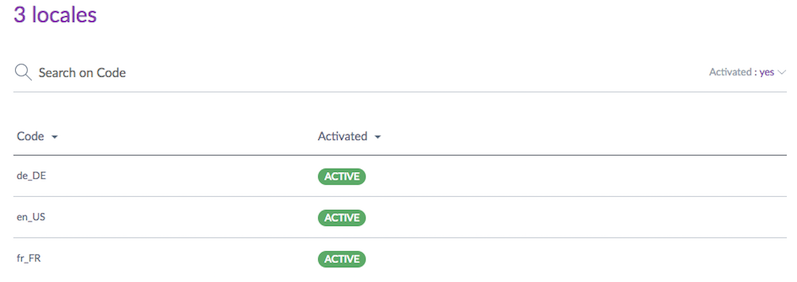
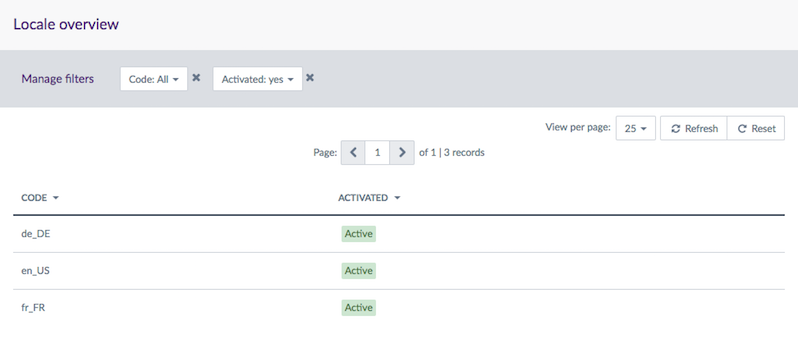
Below is the JSON standard format representing this set of locales.
{
      "code":"en_US",
      "enable":true
    }
{
      "code":"de_DE",
      "enable": true
    }
{
      "code":"fr_FR",
      "enable": true
    }
#Channel
Available in the PIM versions: 1.7 2.x 3.x 4.0 5.0 6.0 7.0 SaaS | Available in the PIM editions: CE EE
A channel is a place where your product information is visible: for example, a website, a print catalog or a mobile application. Actually, a channel defines a selection of products and information to export.
A channel is also known as a «scope» in the Akeneo PIM.
In the Akeneo UI, you can find them in the Settings/Channels menu.
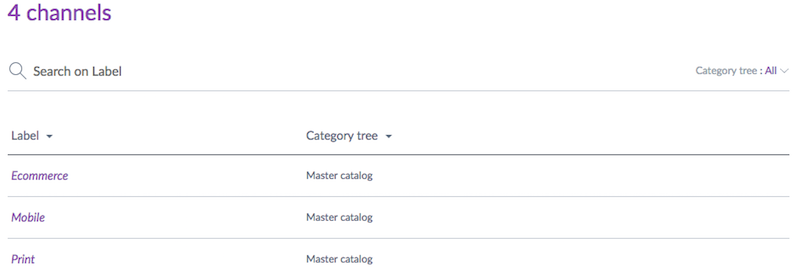
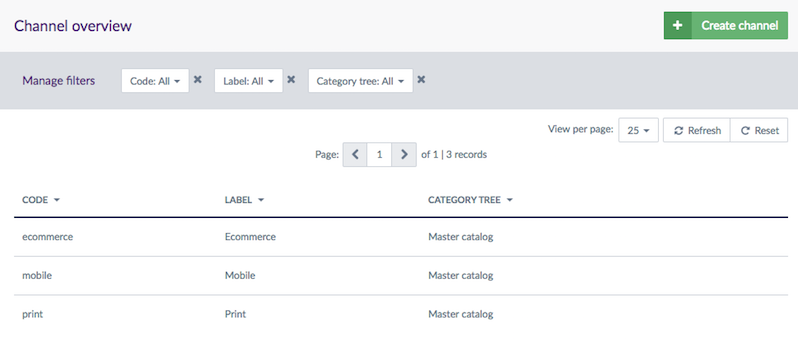
Below is the JSON standard format representing this set of channels when requested through the REST API.
{
      "code":"ecommerce",
      "currencies": [
        "USD",
        "EUR"
      ],
      "locales": [
        "de_DE",
        "en_US",
        "fr_FR"
      ],
      "category_tree": "master",
      "conversion_units": [],
      "labels":{
           "en_US":"Ecommerce",
           "de_DE":"Ecommerce",
           "fr_FR":"E-commerce"
       }
    }
{
      "code":"mobile",
      "currencies": [
        "USD",
        "EUR"
      ],
      "locales": [
        "de_DE",
        "en_US",
        "fr_FR"
      ],
      "category_tree": "master",
      "conversion_units": [],
      "labels":{
           "en_US":"Mobile",
           "de_DE":"Mobil",
           "fr_FR":"Mobile"
       }
    }
{
      "code":"print",
      "currencies": [
        "USD",
        "EUR"
      ],
      "locales": [
        "de_DE",
        "en_US",
        "fr_FR"
      ],
      "category_tree": "master",
      "conversion_units": [],
      "labels":{
           "en_US":"Print",
           "de_DE":"Drucken",
           "fr_FR":"Impression"
       }
    }
#Measurement conversion units
Available in the PIM versions: SaaS | Available in the PIM editions: EE
The conversion_units property of a channel tells the PIM into which units the measurement values of your products should be converted when you request them for that channel.
You can define conversion rules at three levels. For a given attribute, measurement family and locale, they are evaluated in this order of priority:
- Per attribute and locale, under the reserved
pim_config_attribute_locale_ruleskey. This is the most specific rule. - Per attribute, as a flat
"attribute_code": "UNIT"entry. It applies whatever the locale, and takes precedence over the family rule below. - Per measurement family and locale, under the reserved
pim_config_family_ruleskey. It applies to every attribute of that measurement family.
pim_config_family_rules and pim_config_attribute_locale_rules are reserved keys: you cannot use them as attribute codes.
Each per-locale cell is either a string containing the target unit code, or an object that also describes how the decimals should be formatted:
unit: the target unit code (e.g.POUND)decimal_places_strategy:roundto keep a fixed number of decimals, ortrimto remove trailing zerosdecimal_places: the number of decimals to keep, from 1 to 4. Only used, and required, when the strategy isround
When the resolved unit has no precision set, the decimals follow the attribute's own configuration.
In the example below, for the ecommerce channel, every Weight attribute is converted to POUND (2 decimals) for en_US and to KILOGRAM (trailing zeros trimmed) for fr_FR. The localisable_scopable_weight attribute is an exception: it is converted to OUNCE (1 decimal) for en_US. Finally, display_diagonal is always converted to INCH, whatever the locale.
{
      "code": "ecommerce",
      "conversion_units": {
        "display_diagonal": "INCH",
        "pim_config_family_rules": {
          "Weight": {
            "en_US": { "unit": "POUND", "decimal_places_strategy": "round", "decimal_places": 2 },
            "fr_FR": { "unit": "KILOGRAM", "decimal_places_strategy": "trim" }
          }
        },
        "pim_config_attribute_locale_rules": {
          "localisable_scopable_weight": {
            "en_US": { "unit": "OUNCE", "decimal_places_strategy": "round", "decimal_places": 1 }
          }
        }
      }
    }
#Requesting converted values
To get your measurement values converted into the units configured for a channel, add the convert_measurements query parameter when you request products or product models, together with the scope parameter:
GET /api/rest/v1/products-uuid?scope=ecommerce&convert_measurements=true
The scope parameter is mandatory whenever convert_measurements is set to true.
When a measurement family has per-locale rules, the converted unit can differ from one locale to another. How the values are returned then depends on whether the attribute is localizable:
- For a localizable attribute, each value is converted into the unit configured for its own locale, and keeps its original
localeandscope. - For a non-localizable attribute, the PIM returns the stored value plus one converted value per locale that has a rule.
For a non-localizable attribute, the converted entries carry a locale (and a scope), even though the attribute itself is neither localizable nor scopable.
In the following examples, all values are stored in KILOGRAM and requested with ?scope=ecommerce&locales=en_US,fr_FR&convert_measurements=true, using the conversion_units shown above.
A non-localizable, non-scopable attribute returns the stored value and one converted value per configured locale:
{
      "weight": [
        { "locale": null, "scope": null, "data": { "amount": "2", "unit": "KILOGRAM", "symbol": "kg" }, "attribute_type": "pim_catalog_metric" },
        { "locale": "en_US", "scope": "ecommerce", "data": { "amount": "4.41", "unit": "POUND", "symbol": "lb" }, "attribute_type": "pim_catalog_metric" },
        { "locale": "fr_FR", "scope": "ecommerce", "data": { "amount": "2", "unit": "KILOGRAM", "symbol": "kg" }, "attribute_type": "pim_catalog_metric" }
      ]
    }
A localizable attribute converts each value in place, following its own locale:
{
      "localizable_weight": [
        { "locale": "en_US", "scope": null, "data": { "amount": "11.02", "unit": "POUND", "symbol": "lb" }, "attribute_type": "pim_catalog_metric" },
        { "locale": "fr_FR", "scope": null, "data": { "amount": "10", "unit": "KILOGRAM", "symbol": "kg" }, "attribute_type": "pim_catalog_metric" }
      ]
    }
A non-localizable, scopable attribute behaves like the first case, with the channel as scope:
{
      "scopable_weight": [
        { "locale": null, "scope": "ecommerce", "data": { "amount": "2", "unit": "KILOGRAM", "symbol": "kg" }, "attribute_type": "pim_catalog_metric" },
        { "locale": "en_US", "scope": "ecommerce", "data": { "amount": "4.41", "unit": "POUND", "symbol": "lb" }, "attribute_type": "pim_catalog_metric" },
        { "locale": "fr_FR", "scope": "ecommerce", "data": { "amount": "2", "unit": "KILOGRAM", "symbol": "kg" }, "attribute_type": "pim_catalog_metric" }
      ]
    }
A localizable and scopable attribute is converted in place. Here the per-attribute rule applies for en_US (OUNCE, 1 decimal), while fr_FR falls back to the family rule:
{
      "localisable_scopable_weight": [
        { "locale": "en_US", "scope": "ecommerce", "data": { "amount": "176.4", "unit": "OUNCE", "symbol": "oz" }, "attribute_type": "pim_catalog_metric" },
        { "locale": "fr_FR", "scope": "ecommerce", "data": { "amount": "10", "unit": "KILOGRAM", "symbol": "kg" }, "attribute_type": "pim_catalog_metric" }
      ]
    }
#Currency
Available in the PIM versions: 2.x 3.x 4.0 5.0 6.0 7.0 SaaS | Available in the PIM editions: CE EE
If you want to store price information inside your PIM, you will need currencies.
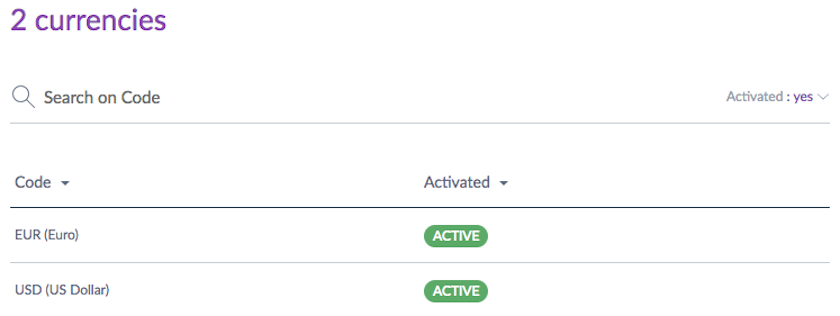
In the Akeneo UI, you can find the currencies in the Settings/Currencies menu. Below is a screenshot of all currencies in the UI.
Below is the JSON standard format representing a currency.
{
      "code":"EUR",
      "enabled":true
    }
Endpoints for the currencies are only available starting the 2.0 version.
#Measure family - Deprecated
Available in the PIM versions: 2.x 3.x 4.0 5.0 6.0 7.0 SaaS | Available in the PIM editions: CE EE
These endpoints are deprecated as of v5.0. If you use a recent version, we strongly encourage you to use these new endpoints, as they are more powerful. They allow you to create/update measurement families and they guarantee the order of the conversion operations.
If you want to store metrics regarding your product such as weight, height or power inside your PIM, you will need measure families. These entities will be really helpful in the case you are requesting products for a given channel and you want these metrics attributes to be converted into the units you specified in your channel.
Below is an example of one of the metrics attributes.

Below is the JSON standard format representing a measure family.
{
       "code":"AREA",
       "standard":"SQUARE_METER",
       "units":[
         {
           "code":  "ACRE",
           "convert": {"mul": "4046.856422"},
           "symbol": "A"
         },{
            "code":  "ARE",
            "convert": {"mul":  "100"},
            "symbol": "a"
          },...
       ]
    }
#Measurement family
Available in the PIM versions: 5.0 6.0 7.0 SaaS | Available in the PIM editions: CE EE
If you want to store your product measurement, i.e. weight, height or power inside your PIM, you will need measurement families. These entities will be really helpful when you are requesting products for a given channel and you want these measurement attributes to be converted into the units you set in the given channel.
Below is an example of one of these measurement attributes.
Below is the JSON standard format representing a measurement family.
{
      "code": "AREA",
      "labels": {
        "en_US": "Area",
        "fr_FR": "Surface"
      },
      "standard_unit_code": "SQUARE_METER",
      "units": {
        "SQUARE_MILLIMETER": {
          "code": "SQUARE_MILLIMETER",
          "labels": {
            "en_US": "Square millimeter",
            "fr_FR": "Millimètre carré"
          },
          "convert_from_standard": [
            {
              "operator": "mul",
              "value": "0.000001"
            }
          ],
          "symbol": "mm²"
        },
        "SQUARE_CENTIMETER": {
          "code": "SQUARE_CENTIMETER",
          "labels": {
            "en_US": "Square centimeter",
            "fr_FR": "Centimètre carré"
          },
          "convert_from_standard": [
            {
              "operator": "mul",
              "value": "0.0001"
            }
          ],
          "symbol": "cm²"
        },
        "SQUARE_METER": {
          "code": "SQUARE_METER",
          "labels": {
            "en_US": "Square meter",
            "fr_FR": "Mètre carré"
          },
          "convert_from_standard": [
            {
              "operator": "mul",
              "value": "1"
            }
          ],
          "symbol": "m²"
        },
        ...
      }
    }
You can have at max 100 measurements families and 50 units per measurement family.
As a consequence, when you ask for the list of measurement families with their units, you'll see that the response is not paginated. It won't cause any performance issue, since you can't have more than 100 measurement families.
#Focus on the units
For each measurement family, a unit is defined as standard and used to convert the other units using one or several conversion operations.
Each unit follows the same format:
{
      "code": "UNIT_CODE",
      "labels": {
        "en_US": "UNIT_LABEL_EN_US",
        "fr_FR": "UNIT_LABEL_FR_FR"
      },
      "convert_from_standard": [
        {
          "operator": "CONVERSION_OPERATOR",
          "value": "CONVERSION_VALUE"
        }
      ],
      "symbol": "UNIT_SYMBOL"
    }
In this formula:
UNIT_CODEis the code to identify a unit.UNIT_LABEL_EN_USandUNIT_LABEL_FR_FRare the labels of a unit in each locale.CONVERSION_OPERATORis the operator for a conversion operation to convert a unit from the standard unit.CONVERSION_VALUEis the value for a conversion operation to convert the unit from the standard unit.UNIT_SYMBOLis the symbol of the unit.
The conversion operators are:
addfor Addsubfor Substractmulfor Multiplydivfor Divide
One conversion operation per unit is required and you can have a maximum of 5 conversion operations per unit.
If you have several conversion operations, the order of the conversion operations is important. For example, to convert the Fahrenheit unit in the standard unit Kelvin, you need to define 3 conversion operations:
- Subtract 32
- Divide by 1.8
- Add 273.15
#Examples
With 1 conversion operation for the standard unit
{
      "code": "KELVIN",
      "labels": {
        "en_US": "Kelvin",
        "fr_FR": "Kelvin"
      },
      "convert_from_standard": [
        {
          "operator": "mul",
          "value": "1"
        }
      ],
      "symbol": "°K"
    }
With 1 conversion operation for a non-standard unit
{
      "code": "CELSIUS",
      "labels": {
        "en_US": "Celsius",
        "fr_FR": "Celsius"
      },
      "convert_from_standard": [
        {
          "operator": "add",
          "value": "273.15"
        }
      ],
      "symbol": "°C"
    }
With 3 conversion operations for a non-standard unit
{
      "code": "FAHRENHEIT",
      "labels": {
        "en_US": "Fahrenheit",
        "fr_FR": "Fahrenheit"
      },
      "convert_from_standard": [
        {
          "operator": "sub",
          "value": "32"
        },
        {
          "operator": "div",
          "value": "1.8"
        },
        {
          "operator": "add",
          "value": "273.15"
        }
      ],
      "symbol": "°F"
    }